
Built for local businesses.
StockedUp gives businesses the tools they need to sell online, manage their operations and understand their customers.
Quick guide to become a merchant- 📦
Products & inventory
Manage what you sell and what's in stock.
- 🧾
Orders & sales
Track every order from new to delivered.
- 👥
Customers
Know who buys from you and how often.
- 💳
Wallet & payments
See your earnings and withdraw to your bank.
- 📊
Business analytics
Revenue, orders and acceptance rate at a glance.
- 🏬
Store management
Keep your store, listings and hours up to date.
- 🏷️
Promotions
Run discounts and offers in a few taps.
- 📈
Performance insights
Clear numbers to guide your next move.
More customers. More visibility. More growth.
Use StockedUp's growth tools to get your business in front of more people and turn them into regulars.
- ⭐Featured storesTop placement where shoppers look first.
- 📣Sponsored productsPut your best sellers in front of buyers.
- 🏷️Promotions & discountsOffers that bring people in.
- 🎯Customer acquisitionReach new buyers near you.
- 🤝Referral campaignsLet happy customers bring their friends.
- 🔲QR marketingTurn foot traffic into online orders.
Create your merchant account
Nine quick steps from download to your first product. Swipe through to see each screen.
- 01
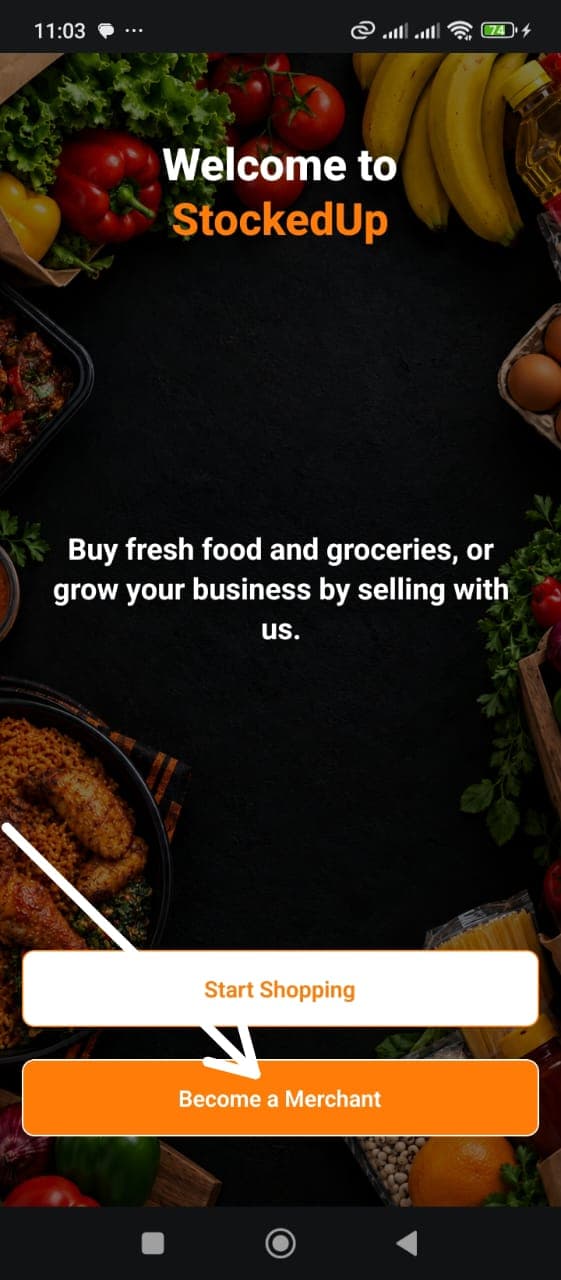
Open the app
Download StockedUp and tap Become a Merchant on the welcome screen.
- 02
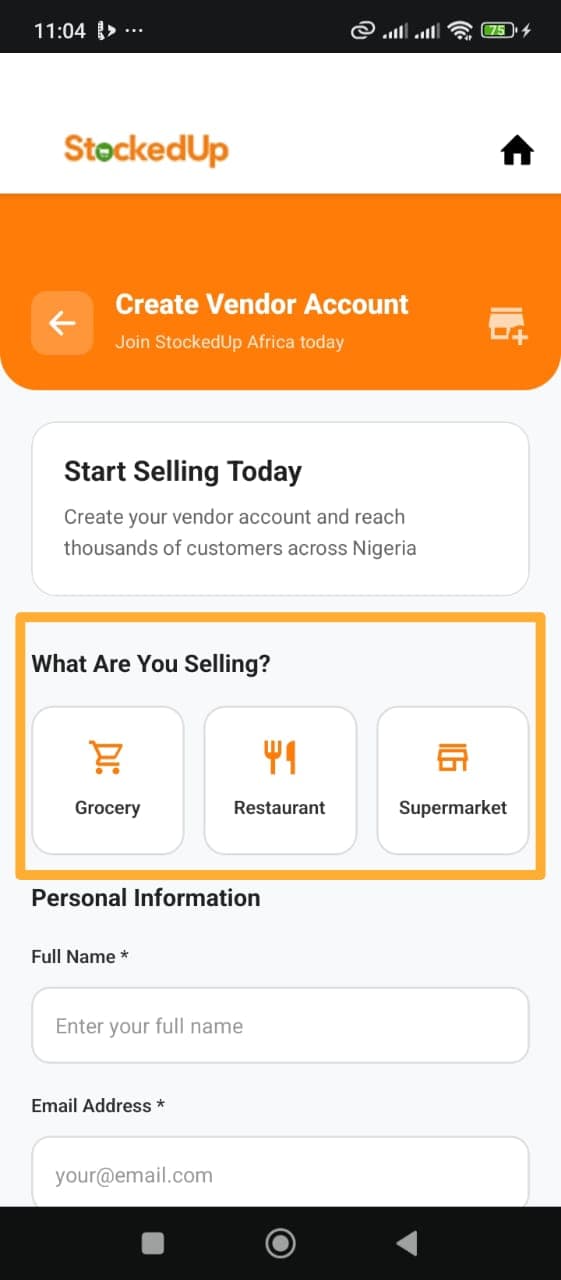
Choose what you sell
Pick Grocery, Restaurant or Supermarket, then enter your name and email.
- 03
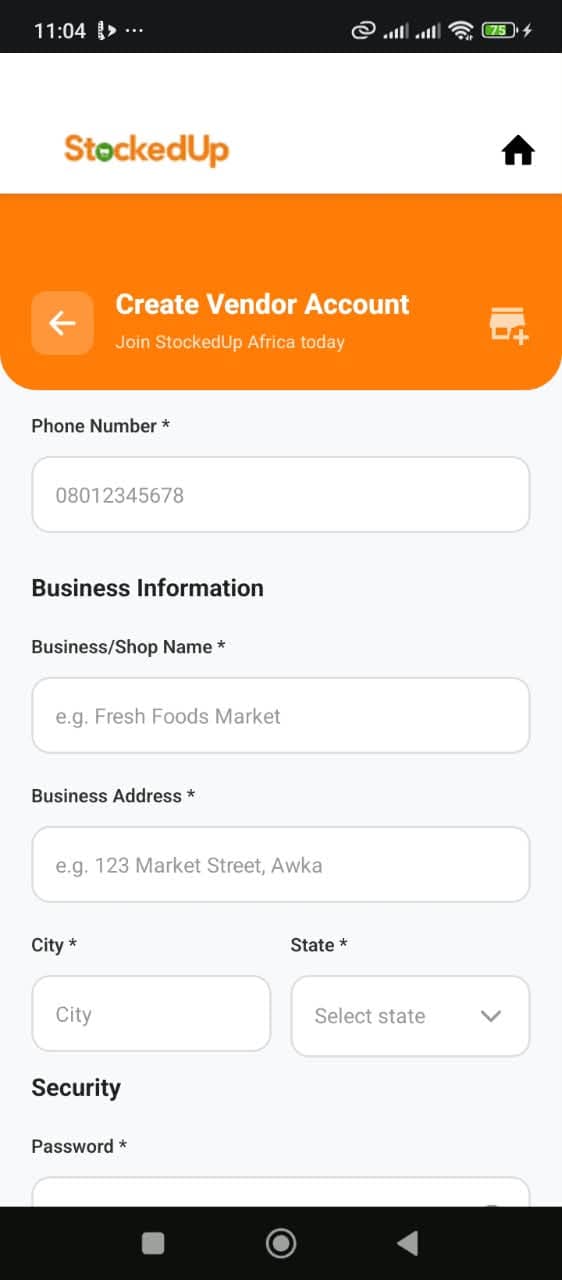
Add your business details
Enter your phone number, shop name, business address, city and state.
- 04
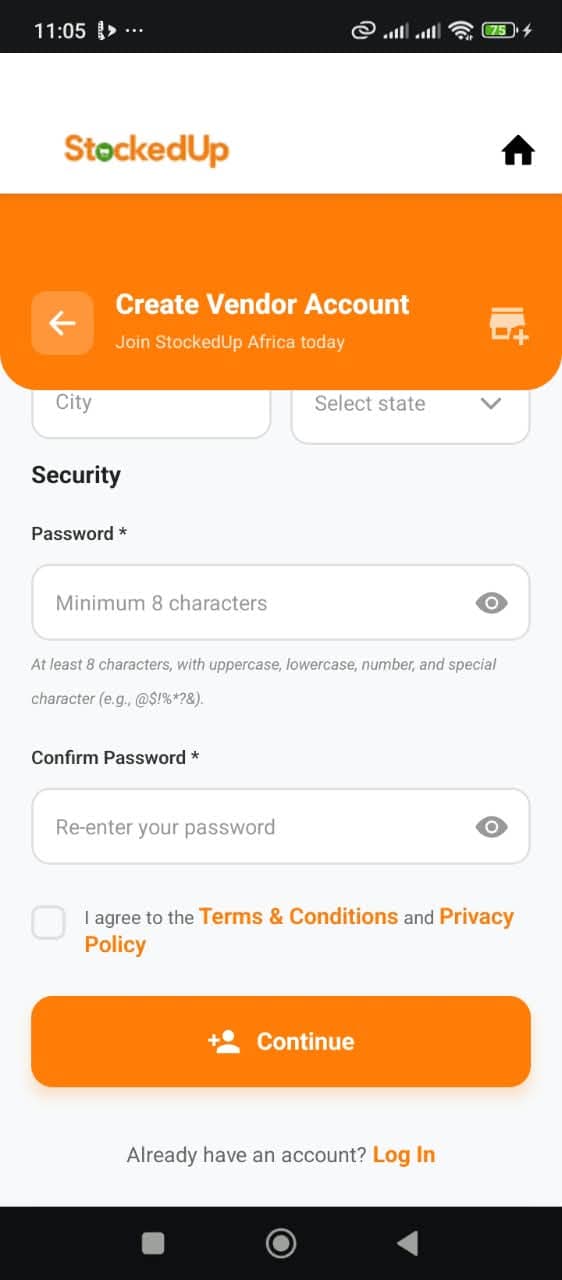
Secure your account
Create a password, accept the Terms and Privacy Policy, then tap Continue.
- 05
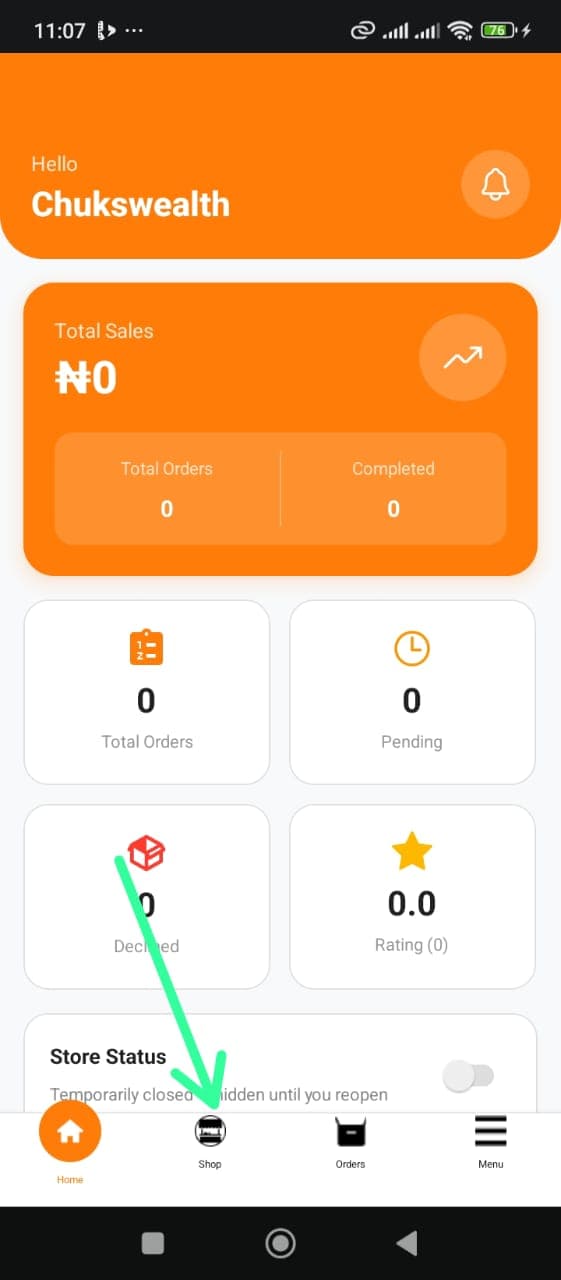
Land on your dashboard
Your sales, orders, rating and store status are all in one place.
- 06
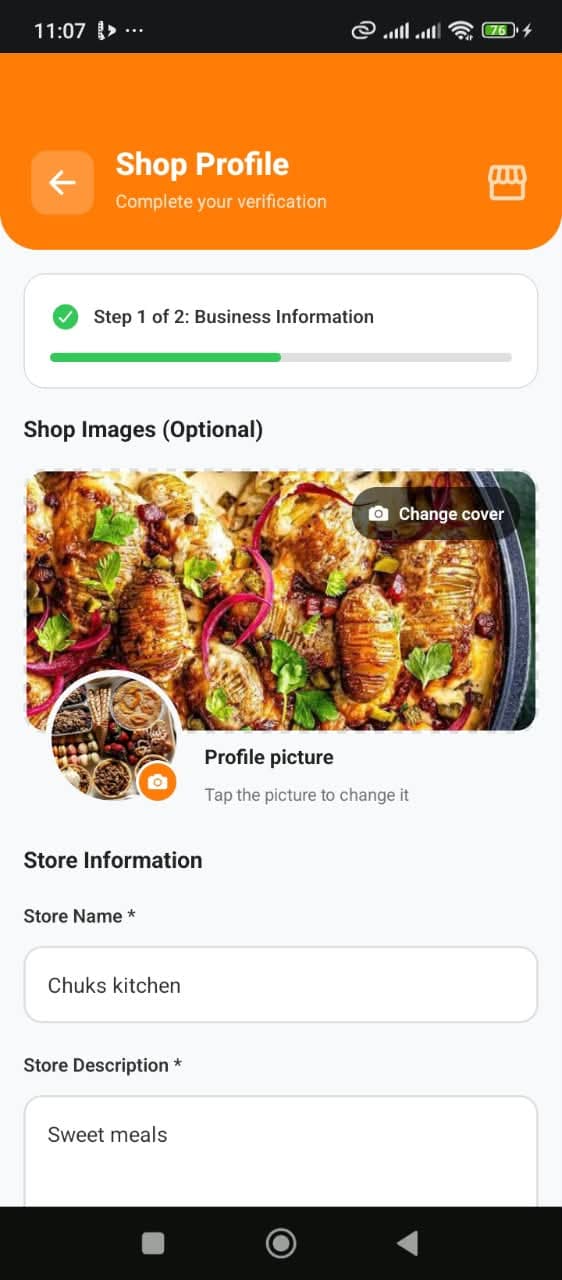
Set up your shop profile
Add a cover photo and profile picture, then your store name and description.
- 07
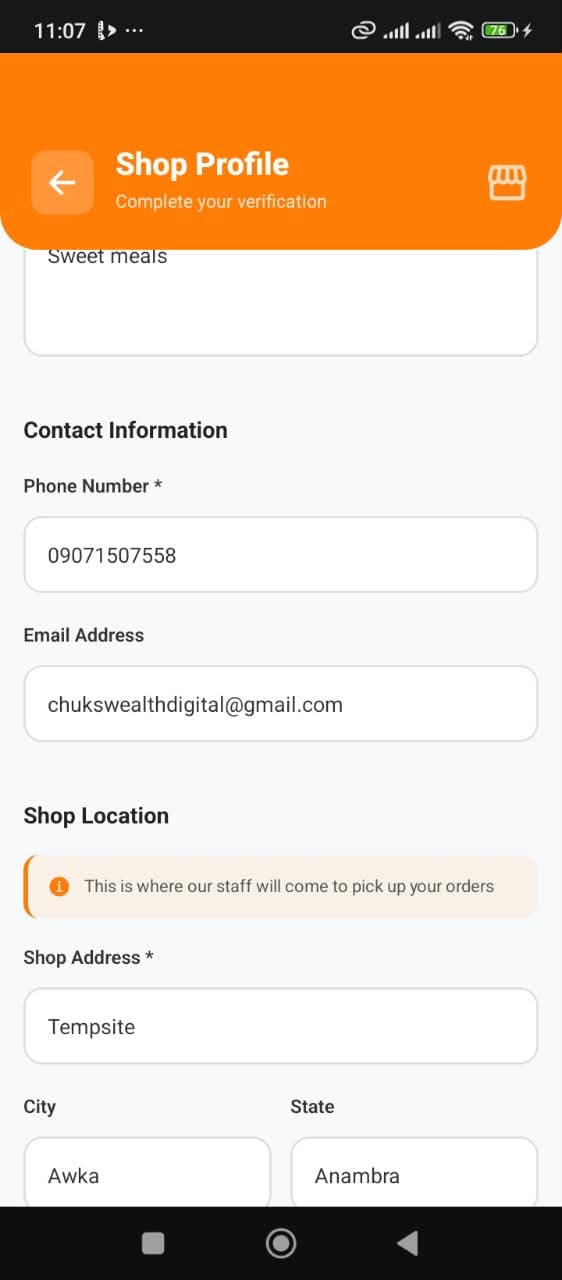
Add contact and location
Enter your contact details and the shop address where orders are picked up.
- 08
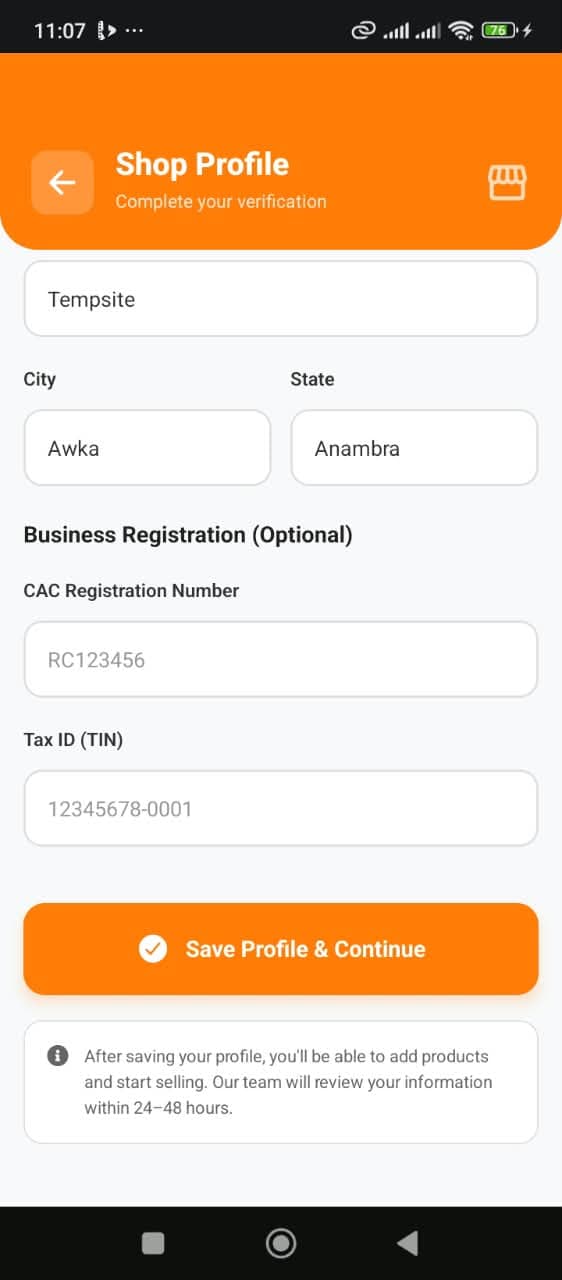
Save your profile
CAC and Tax ID are optional. Tap Save Profile & Continue and our team reviews your details.
- 09
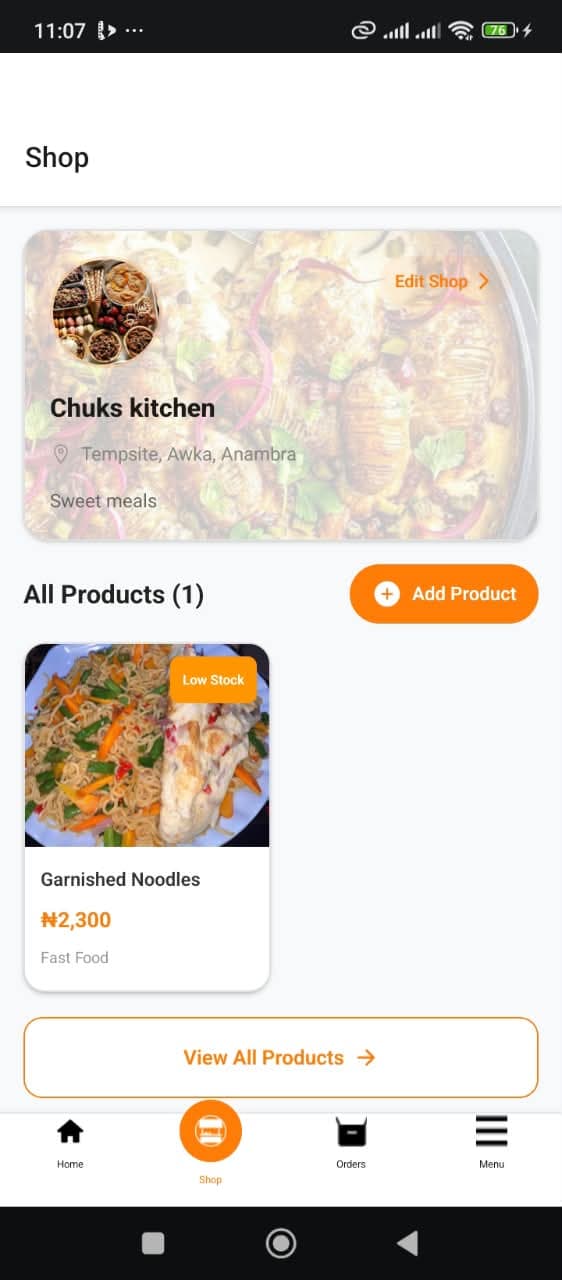
Add your products
Open the Shop tab, tap Add Product and start selling to customers near you.
Ready to grow your business?
Download the Stockedup app now'lets get you started right away.
Get the app now